
Overview
This article gives an overview of the updated refund process on the Publisher platform. It explains how refunds are processed and logged on the Publisher platform, and how they reflect in your ledger.
Understanding the two refund flows
Depending on the original payment mode, the platform will either let you:
Push the refund directly through the PG, or
Ask you to refund the client off-platform first and log it (ex: Digio e-NACH, PayU e-NACH, Transactions older than 180 days) along with its Transaction Reference Number (UTR) for the ledger.
As a manager, you'll likely see both flows depending on the original payment mode.
How to log refunds
For refunds issued through the platform (no change to this flow):
Log in to the Publisher platform > Go to the Users section > Search for the user > Click on 'Unsubscribe' on the smallcase > Enter the amount to be refunded > Click on 'Unsubscribe User'.
Sample:
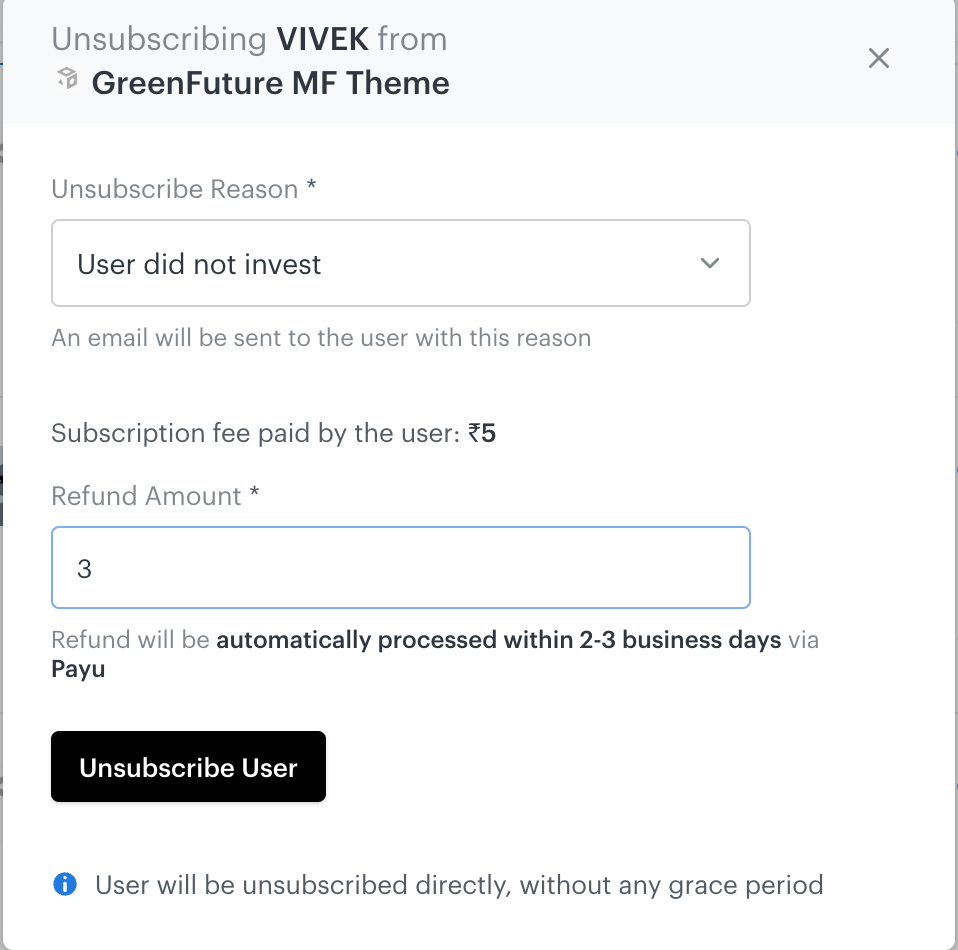
The user gets unsubscribed instantly, and the entered amount is directly refunded back to the user's account.
For refunds issued off-platform (new logging flow):
Log in to the Publisher platform > Go to the Users section > Search for the user > Click on 'Unsubscribe' on the smallcase > Enter the amount refunded and the Transaction Reference Number (UTR) > Click on 'Unsubscribe User'.
Sample:
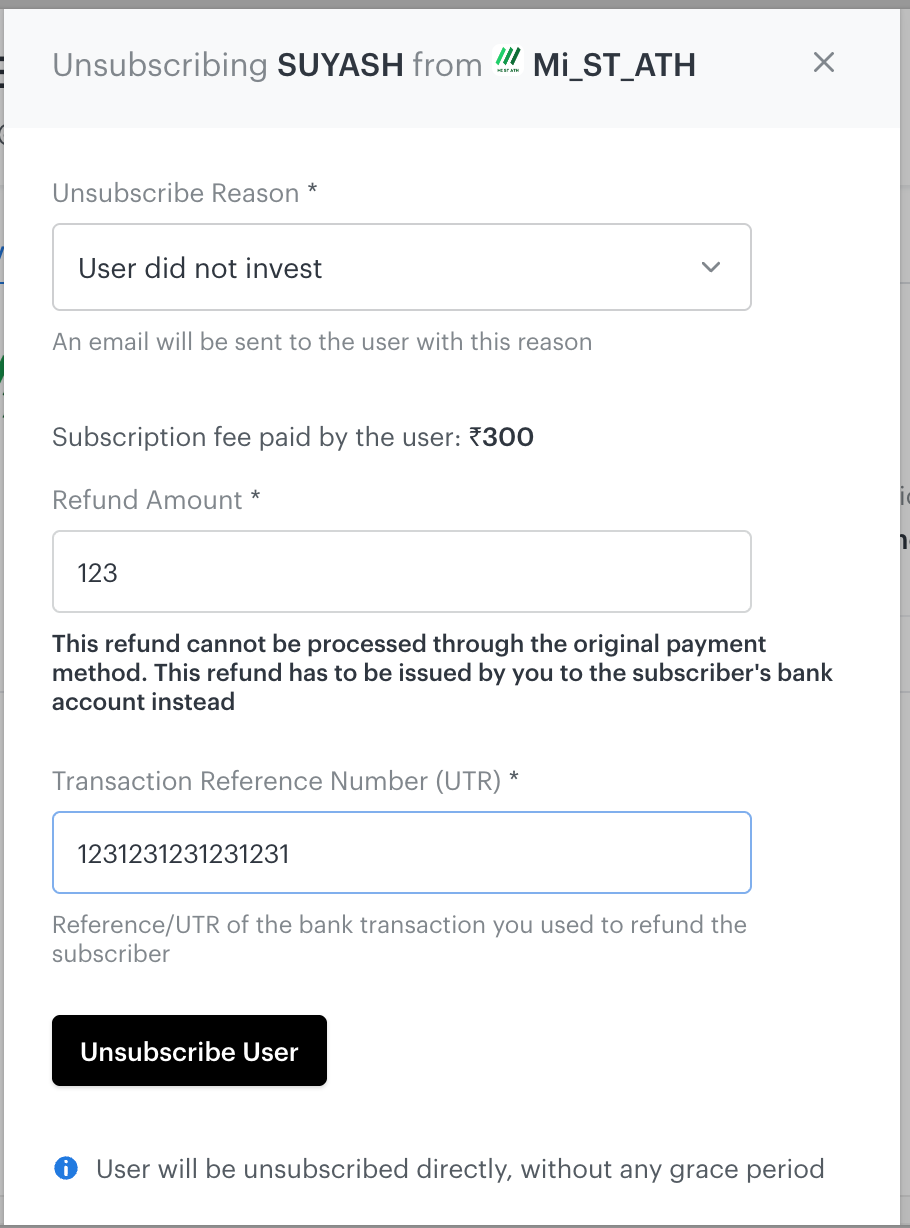
Transaction Reference Number (UTR) - Mandatory field
e.g. 1234567890123456 (12–22 digit UTR)
The user gets unsubscribed instantly, and the entered amount along with the UTR is recorded as refunded in the ledger.
Please Note: In either of the above-mentioned methods, the user is marked as refunded + unsubscribed instantly.
Impact on the ledger
Refunds logged through either flow above will be automatically marked in the ledger - you no longer need to submit anything separately for this to be reflected.
What's changing from the existing setup
No more Refund Form: Off-platform refunds that were previously logged via the Refund Form must now be logged directly on the Publisher platform.
Logging refunds on the platform will automatically unsubscribe the user, just like issuing refunds through the platform.
Enter the actual refunded amount: When logging an off-platform refund, make sure to enter the real amount refunded to the client.
Please Note:
The Refund Form will no longer be supported for logging off-platform refunds. Going forward, please log all off-platform refunds directly on the Publisher platform.
Only the refunds that are processed through or logged on the Publisher platform will be considered and marked in the ledger going forward.
If you face any technical difficulties while unsubscribing or refunding the user via the platform, please drop an email to publisher.help@smallcase.com with the user details. Our team will process the request at our end.
Refunds done by you in a particular month must be logged within that month itself, such that they can be marked in the ledger. Cases that are not logged within the said timeframe will not be considered.